
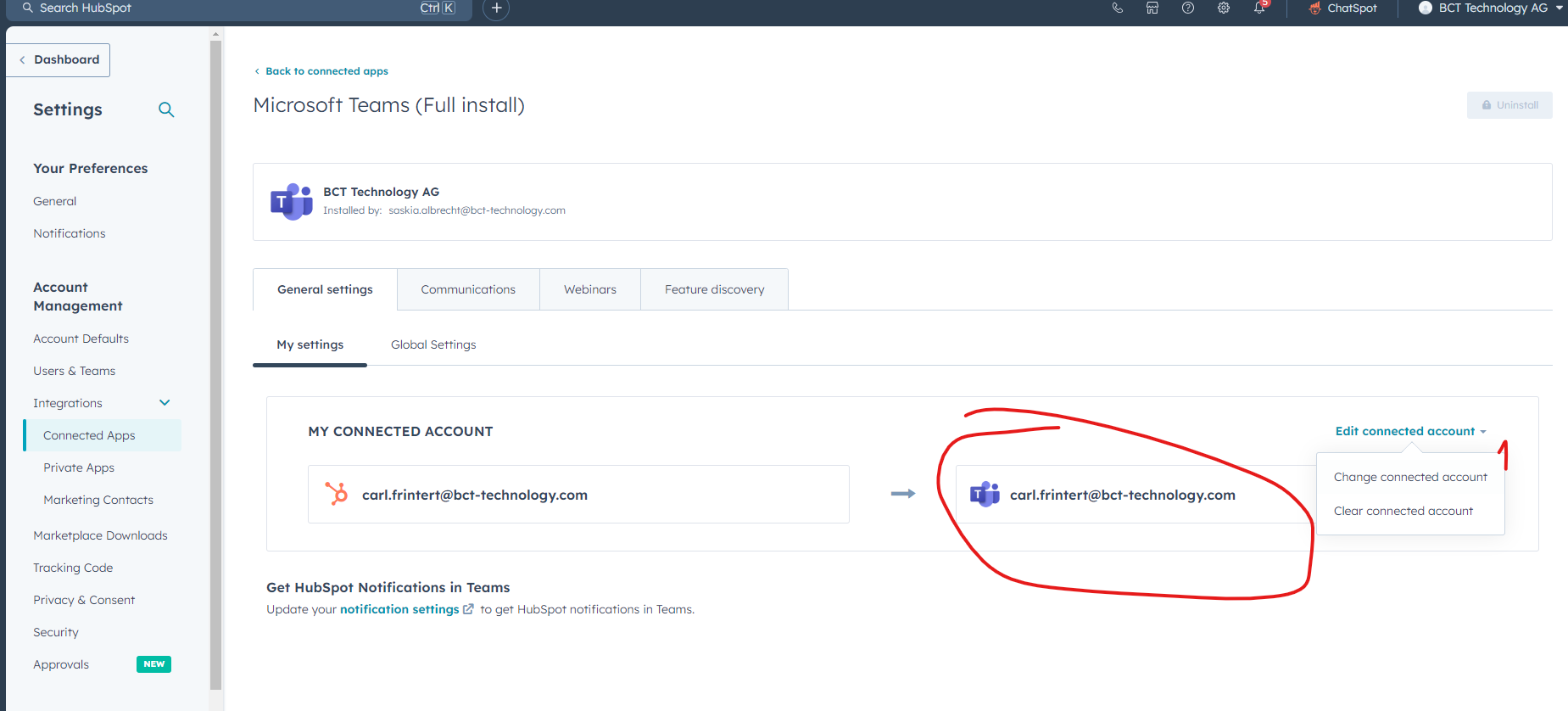
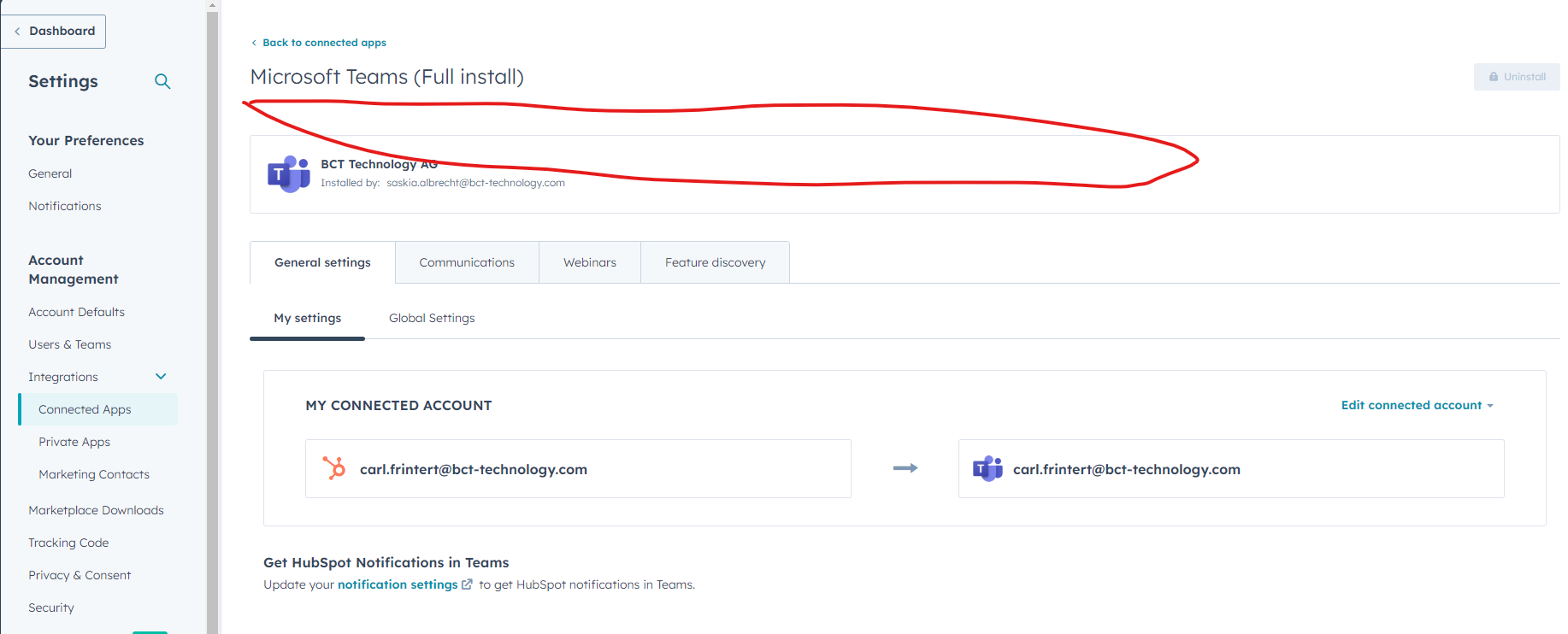
Go to Hubspot to your settings / Account Management / Integration / Connected Apps and search for Teams. See picture
Select Teams and connect account. Should look like this when first time:
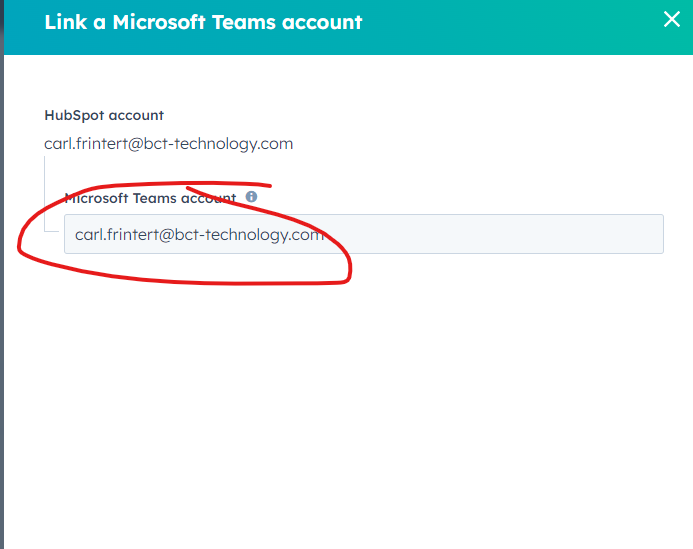
Enter your personal mail:
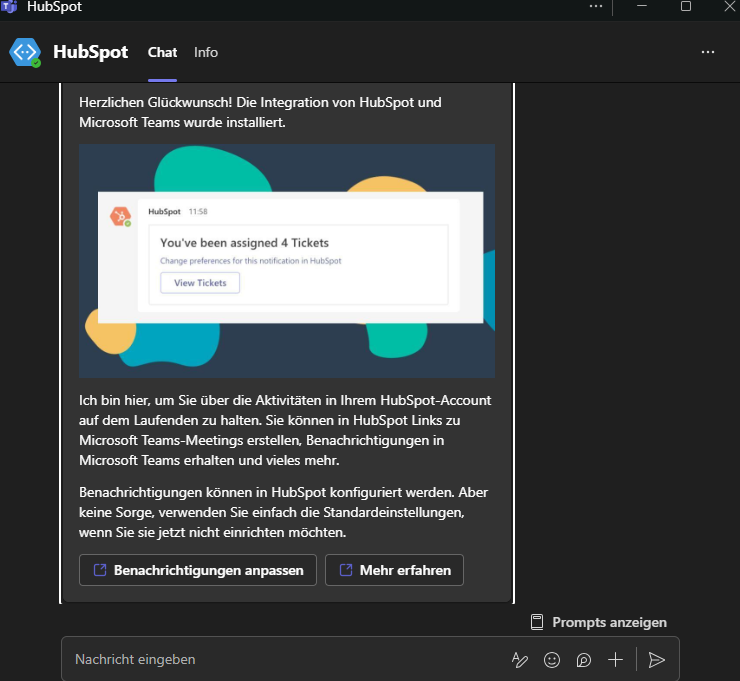
Hubspot will send you a massage in Teams to confirm your account.
When done, a field appears in this area asking to update settings. Click and update.
You should now be able to select Teams, when sending out invitations directly from Hubspot.